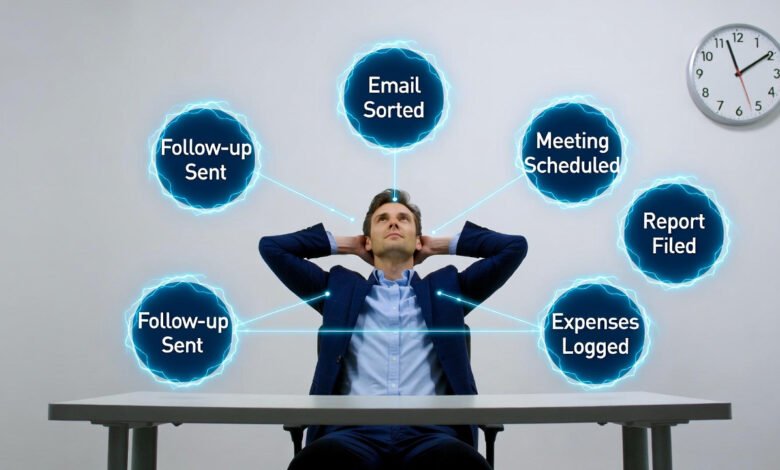
AI Task Automation: How to Save Hours Every Day
Nearly two hours. Every single day. That is how much time the average person spends on tasks that could be handled by AI task automation [1]— without any loss of quality, and without requiring a computer science degree to set up. Two hours daily is 730 hours a year. Over 30 full working days, spent on repetitive actions that add no unique human value to your work or your life.
⚠️ Tech Disclaimer: This guide explores 2026 AI trends for educational purposes. AI capabilities and software performance vary by platform; this is not professional, technical, or financial advice. Always verify with certified experts for a critical system
In 2026, AI task automation has moved from a corporate IT project to something any individual can deploy in an afternoon. The same AI personal agents technology that powers enterprise workflows is now accessible through consumer tools that cost nothing, or close to it. Understanding how to automate repetitive tasks with AI, which AI productivity tools for daily use deliver real results, and how to build your personal AI workflow automation without overwhelm — that is what this guide covers, from first principles to practical first steps.
McKinsey estimates that 60–70% of current work activities could be automated using existing AI technology [1] — not future technology that does not yet exist, but tools available today. The question is no longer whether AI time-saving tools work. The question is whether you will start using them before your time deficit gets any larger.
What AI Task Automation Actually Is — Without the Jargon
Strip away the marketing language, and AI task automation is straightforward: it is getting artificial intelligence to handle the repetitive, time-consuming actions that currently eat up your day, so you do not have to do them manually anymore. Instead of sorting through 120 emails, an AI does it in seconds. Instead of typing the same data into five different forms, automation handles it. Instead of remembering to follow up, your system does it automatically.
Two technologies make this work in the background. Machine learning lets automation systems learn from your behaviour — your AI email assistant notices you always move newsletters to a specific folder and starts doing it automatically; your scheduling tool notices you prefer Tuesday mornings for external calls and suggests those slots first. Natural language processing (NLP) enables AI to understand human language in context — not just the words but the intent — which is how it can read an email and determine whether it requires immediate attention, a polite decline, or no response at all.
The practical result is what researchers call intelligent process automation — systems that execute rule-based tasks with consistent accuracy, learn from patterns over time, and improve their predictions the more you use them. You do not need to understand the underlying technology to benefit from it, just as you do not need to understand a combustion engine to drive a car. Stanford’s AI Index 2024 documents that AI performance on knowledge-worker tasks improved by more than 30% between 2022 and 2024 [2], making these tools substantially more capable than they were even two years ago.
| 🧠 KNOWLEDGE ASSESSMENT — Test Your Understanding: Q1: How much time do you estimate you spend on repetitive tasks each day? A) Less than 30 minutes — my work is mostly creative or strategic B) 30–60 minutes — some routine tasks but manageable C) 1–2 hours — a significant portion of my day is repetitive D) More than 2 hours — I feel buried in administrative work Q2: Which of the following best describes a task worth automating? A) Writing a strategy presentation requiring original thinking B) Sorting 120 daily emails into priority folders C) Conducting a performance review with a team member D) Deciding which market to enter next year Q3: What is the most effective way to start your automation journey? A) Automate every task at once over a single weekend B) Purchase the most advanced AI platform available immediately C) Identify your single most repetitive task and automate that one first D) Wait until AI tools become more mainstream before trying them |
✅ Answer Key:
- Q1: C or D — if repetitive tasks consume an hour or more of your day, AI task automation offers the most measurable return. Even 30 minutes saved daily compounds to over 180 hours annually.
- Q2: B — Email sorting is a perfect automation candidate: it is repetitive, rule-based, and requires no human creativity or judgment. The other options all require strategic thinking, relationships, or original analysis.
- Q3: C — Starting with one specific, well-defined repetitive task is the approach with the highest success rate. It builds confidence, produces quick wins, and avoids the overwhelm that kills most automation attempts before they start.
Why AI Task Automation Matters Beyond Saving Time
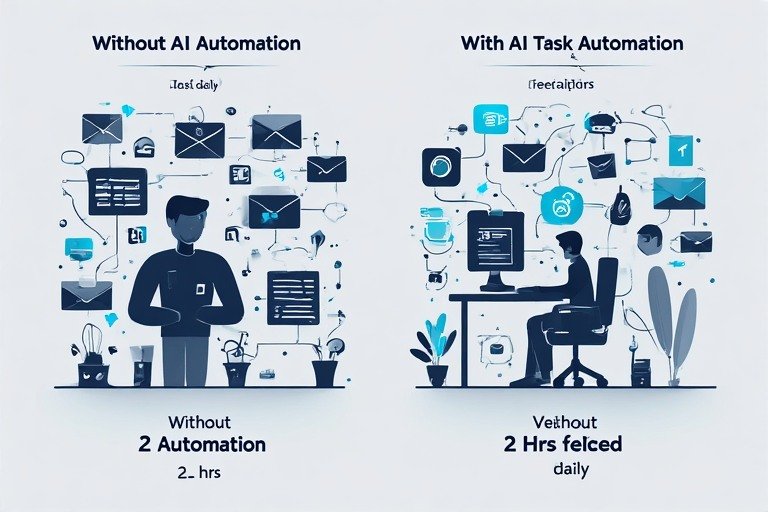
Time savings are the obvious headline. But the deeper benefits of AI task automation are less visible and, in many cases, more valuable than the hours themselves.
Productivity That Compounds
When you automate even a handful of routine tasks, the benefit is not limited to the time those tasks originally required. Automation removes the mental overhead of remembering to complete them, reduces the cognitive cost of switching between different task types, and minimizes the decision fatigue that builds up from repeatedly handling the same categories of work.
For example, a sales professional who automates call logging does not simply save 30 minutes. They remain more focused during conversations, generate cleaner analytical data, and finish the workday with less administrative fatigue. Similarly, a student who automates lecture note processing can concentrate during class instead of transcribing, retain more information, and receive structured, searchable notes automatically. Over time, these AI productivity tools create compounding benefits that increase with every additional automation added to the workflow.
Cognitive Load and Mental Health
The constant background anxiety of modern knowledge work — did I reply to that? Did I follow up? Did I log that expense? — is a genuine source of stress and burnout, even when the individual tasks are small. AI task automation removes this anxiety at the source. When your system handles the routine, your brain is not carrying it. Harvard Business Review’s analysis of AI in the workplace identifies reduced cognitive load as one of the most consistently reported benefits among professionals who adopt automation tools — not just productivity improvement, but subjective experience of work itself improving [3].
💡 For more information, explore the complete segments of our AI & Personal Technology Series
Human Effort Redirected to Human-Grade Work
AI systems are genuinely better than humans at repetitive tasks, pattern matching, and processing large volumes of information quickly. Humans are genuinely better at creativity, relationship management, strategic judgement, and complex problem-solving. Personal AI workflow automation is not about replacing human effort — it is about reallocating it. When the data entry is handled automatically, you spend your time on the analysis. When the scheduling is automated, you spend your energy on the conversation. MIT Sloan Management Review identifies this reallocation as the core value proposition of human-AI collaboration — not replacement, but complementary capability [4].
Counter-Arguments Worth Addressing
- ‘Automation will make me dependent on tools I do not control.’ A valid concern — tool providers change pricing, shut down, or alter features. The mitigation is choosing tools with data export capabilities and avoiding single-tool dependency for any critical workflow.
- ‘AI tools make mistakes, and I will have to fix them.’ True — no automation is error-free. The practical question is whether AI errors are less frequent and less costly than human errors on the same task. For high-volume repetitive tasks, the evidence consistently favours automation [1].
- ‘Setting up automation takes more time than it saves.’ For complex, infrequent tasks — possibly. For tasks performed daily, even a one-hour setup investment recovers within a week at 15 minutes saved per day.
- ‘Privacy is a genuine risk with AI tools.’ Correct — tools that access email, calendar, or financial data require careful privacy assessment. Starting with lower-sensitivity automations and reading data governance documentation before connecting sensitive accounts is the responsible approach. The EU AI Act [7] is introducing transparency requirements for AI tools that process personal data, which will improve consumer protections over the coming years.
What People Are Actually Automating: Real Use Cases in 2026
Theory is useful. Specifics are more useful. These are the best AI automation tools for productivity use cases where AI time-saving tools are delivering measurable results for real people in 2026.
Email: Where Productivity Goes to Die — and Gets Revived
The average professional receives more than 120 emails per day — and AI email automation for professionals is now the most impactful single automation available, directly addressing the task that consumes more knowledge worker time than any other. Without automation, simply managing this volume can become a full-time task. AI task automation for email typically operates on four key levels. The first is smart sorting, which automatically categorizes incoming messages—such as placing newsletters in one folder, client communications in another, internal messages in a third, and highlighting urgent items at the top.
The second level is priority intelligence, where the system learns which senders and subject-line patterns matter most to you and generates a daily digest of messages that truly require attention. The third is response drafting, which produces first-draft replies for common email types—such as meeting requests, status updates, or information inquiries—in your tone and style, reducing a 10-minute reply to a quick review. Finally, calendar integration connects email with scheduling, allowing meeting requests to trigger automatic availability checks and invitation creation without manual effort.
Finding a meeting time that works for multiple people across time zones involves an absurd amount of back-and-forth communication that produces no value. AI scheduling automation solves this with shared booking links that integrate with your calendar, show available slots in the recipient’s time zone, and confirm bookings automatically. Advanced tools go further: analysing your calendar patterns to identify when your energy is highest and protecting those windows for deep work, automatically building buffer time between meetings, and transcribing meeting content so you leave with searchable notes rather than vague recollections. The time recovery from scheduling automation alone can reach 5+ hours per week for professionals with high meeting loads.
Data Entry: The Task Nobody Should Still Be Doing Manually
Manual data entry is both time-consuming and the most error-prone category of knowledge work — fatigue, distraction, and repetition combine to produce transposition errors, missed fields, and formatting inconsistencies that create downstream problems. Intelligent process automation handles document extraction (uploading invoices, receipts, and forms to have relevant data parsed and filed automatically), form auto-fill for standard information fields, and data validation that checks entries for errors and flags inconsistencies before they propagate. What previously took an hour of focused, error-prone work can be handled in seconds of upload time.
Content Creation: Past the Blank Page
AI writing tools do not replace creative work — they eliminate the scaffolding friction that precedes it. Research summaries condense hours of reading into structured key-point extractions. Outline generation produces multiple structural options for a piece based on topic and goals. Draft assistance provides starting material for routine communications — emails, social posts, standard reports — that you then refine rather than construct from nothing. Content repurposing converts a single piece of source content into multiple format variants: a blog post becomes social media content, an email summary, and presentation talking points with minimal additional effort. The principle is AI as a collaborator, not a replacement — you provide the expertise, judgment, and voice; AI provides speed and a starting point.
Personal Finance: Awareness Without the Spreadsheet
Most people have an imprecise understanding of where their money goes — not from irresponsibility, but because manual tracking of every transaction is genuinely tedious. AI financial automation tools connected to bank accounts and credit cards categorise transactions automatically, identify spending pattern changes, trigger budget alerts when category limits approach, and surface forgotten subscriptions generating passive costs. The benefit is not primarily financial — though people often do save money once they have visibility — it is cognitive: you know your financial reality without the administrative work of maintaining it.
AI Productivity Tools for Daily Use: What Actually Works in 2026
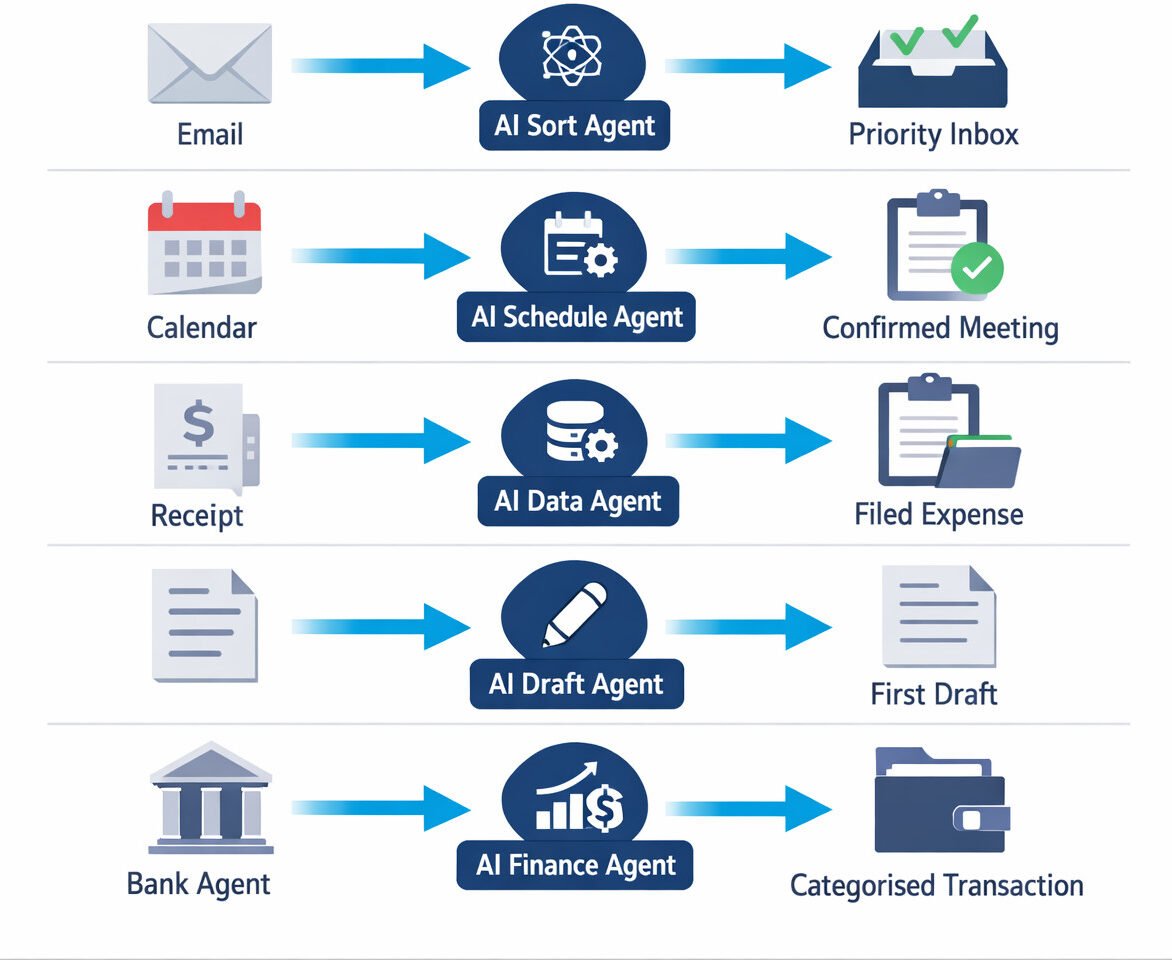
These are not theoretical tools. These are the best AI task automation tools for productivity that individuals and professionals are using in active daily workflows in 2026.
| Tool | Category | Primary Automation Use Case | Free? |
| Zapier | Workflow connector | Connects 6,000+ apps — ‘when X happens, do Y’ | Yes |
| IFTTT | Workflow connector | Simple two-step automations across apps and devices | Yes |
| Grammarly | Writing assistant | Grammar, tone, clarity, and engagement optimisation | Yes |
| Calendly | Scheduling | Eliminates scheduling email chains entirely | Yes |
| ChatGPT | AI assistant | Drafts, research summaries, brainstorming, outlines | Yes |
| Notion AI | Knowledge mgmt | Meeting notes, summaries, and task extraction from text | Partial |
| Reclaim.ai | Time management | Intelligent calendar blocking for deep work and tasks | Yes |
| Make | Workflow builder | Visual no-code automation with advanced logic paths | Yes |
Two platforms deserve particular emphasis for people starting their automation journey. Zapier and Make (formerly Integromat) are workflow connector platforms — they operate on the principle of ‘when this happens, do that’, connecting more than 6,000 applications and services without requiring any coding. When you receive an email attachment, it saves automatically to Google Drive. When you add a task in your to-do app, it creates a calendar block. When someone fills in a contact form, they are added to your CRM. These are no-code AI automation workflows that can be set up by anyone who can use a web browser, and they represent the most flexible entry point into personal AI task automation for people whose work spans multiple tools [6].
Strategic Comparison: Manual Workflows vs AI Task Automation
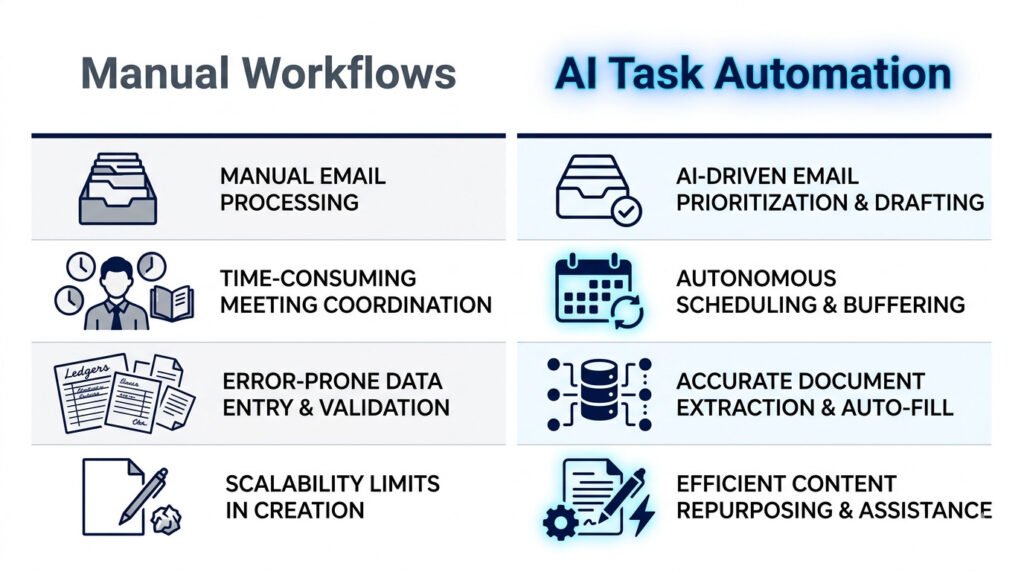
| Dimension | Manual Workflow | AI Task Automation |
| Email management | 60–90 min/day sorting and replying | 5–10 min reviewing AI-prioritised inbox |
| Scheduling | 10–20 emails per meeting slot agreed | One shared link, zero back-and-forth |
| Data entry | Error-prone, repetitive, time-consuming | Extracted and validated in seconds |
| Content drafts | Starting from a blank page every time | AI-generated first draft to refine |
| Expense tracking | Manual receipt logging, category guessing | Auto-categorised from bank connection |
| Follow-ups | Remembered (or forgotten) by the individual | Triggered automatically on schedule |
| Error rate | Increases with fatigue and repetition | Consistent precision across all tasks |
| Work-life balance | Tasks follow you home | Work completed within working hours |
The error rate row in the comparison above deserves particular attention. Humans make more mistakes on repetitive tasks as fatigue accumulates — the tenth data entry of the day is less accurate than the first. AI task automation does not experience fatigue. It executes the hundredth task with the same precision as the first. For organisations and individuals where data accuracy has downstream consequences — financial reporting, compliance documentation, customer records — this consistency advantage alone justifies the automation investment [5].
💡 For more information, explore the complete segments of our AI & Personal Technology Series
How to Start Your AI Task Automation Journey: A Six-Step Framework
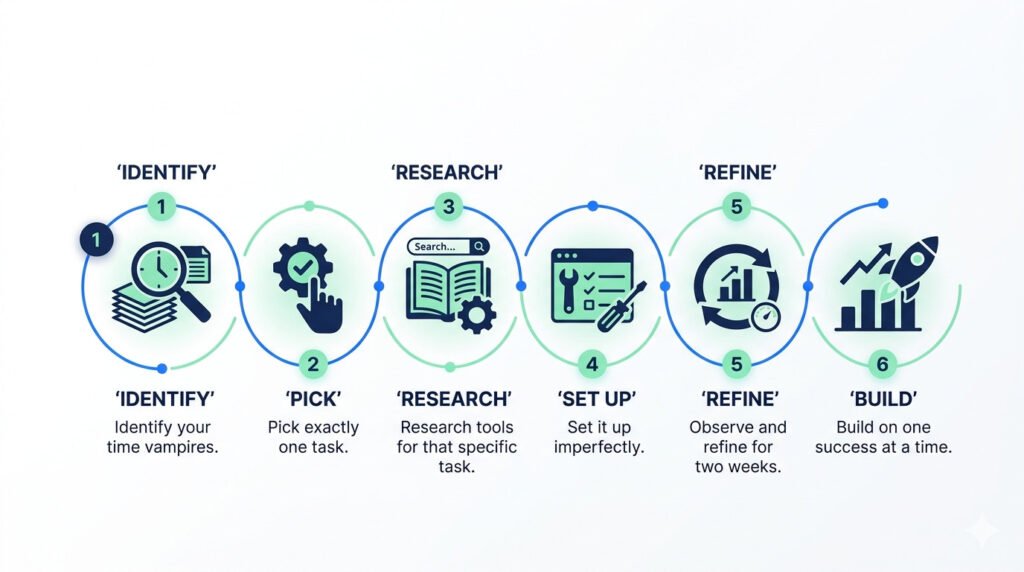
The people who successfully built personal AI workflow automation stacks did not build them overnight. They built them one step at a time, over weeks and months. This six-step framework is the approach with the highest completion rate — because it is designed to produce a working result in under an hour, rather than a perfect system that never gets built.
- Identify your time vampires. Spend one week actually tracking where your time goes — not where you assume it goes, but where it actually goes. What tasks do you repeat daily? What makes you think ‘there has to be a better way to do this’? Be specific: ‘manually entering receipt data into a spreadsheet’ is actionable; ‘financial admin’ is not.
- Pick exactly one task. Do not attempt to automate your entire workflow in a weekend. Pick the single most repetitive, most annoying task on your list. One task, one automation. Get it working and make it a habit before adding anything else.
- Research tools for that specific task. For your chosen task, research tools designed specifically to solve it. Read reviews, watch short tutorial videos, and use free trials. Most AI productivity tools for daily use offer free tiers that are sufficient for individuals starting.
- Set it up imperfectly. Your first automation will not be perfect. Set it up anyway. Make it functional. Use it. You will only discover what works and what needs adjustment through actual use — not through extended planning.
- Observe and refine for two weeks. Is it saving time? Is it creating new problems? Does anything need adjustment? Most automations require minor tweaks after the first week of real use. Adjust, improve, and let it settle into your routine.
- Build on one success at a time. Once one automation is stable and genuinely useful, identify the next task on your list and repeat the process. Over six months, this incremental approach produces a suite of no-code AI automation workflows that work together — without the overwhelm that comes from trying to build everything at once.
The Future of Personal AI Automation: 2026 and Beyond
The future of AI task automation for individuals is not a distant projection — it is already arriving in incremental steps. Three developments will define what personal AI productivity tools look like through 2030.
Genuine personalisation — not just knowing your name or your calendar, but understanding your communication style, energy patterns, and decision-making preferences — is moving from enterprise AI into consumer tools. Your automation layer will not just schedule meetings; it will know you are sharper before noon and protect those hours for strategic work. It will not just sort emails; it will understand which clients require immediate, detailed responses and which appreciate brevity. Gartner identifies hyper-personalised agentic AI as a top strategic technology trend for 2025–2028 [5].
Cross-device and cross-platform coordination — where your phone, laptop, smart home devices, and wearables all share a coordinated AI layer that understands context and adapts automatically — is the infrastructure trajectory that major platform providers are building toward. The fragmentation that currently requires Zapier to connect separate tools will be partially replaced by native integration as AI agents become the primary interface layer, as described in our analysis of AI personal agents replacing traditional apps.
Regulatory clarity on AI tools that process personal data — email, financial records, health information — is advancing with the EU AI Act [7] and equivalent national frameworks. For users, this means improving transparency about how automation tools handle data, clearer rights regarding data deletion and portability, and stronger accountability for tools that make consequential automated decisions. The governance infrastructure is maturing to match the capability infrastructure.
Key Takeaways
- AI task automation can reclaim 1–2 hours daily from repetitive email, scheduling, data entry, and administrative tasks — with tools available free or at low cost in 2026.
- How to automate repetitive tasks with AI: start with one specific task, use a free tool designed for that task, set it up imperfectly, refine over two weeks, then add the next automation.
- Personal AI workflow automation delivers compound returns — not just time savings but reduced cognitive load, lower error rates, and better work-life boundaries.
- Best AI automation tools for productivity for individuals include Zapier and Make (workflow connectors), Calendly (scheduling), Grammarly (writing), ChatGPT (drafts and research), and Reclaim.ai (calendar intelligence).
- No-code AI automation workflows require no programming knowledge — if you can use email and browse a website, you can build functional automations with current tools.
- The future of AI task automation points toward genuine personalisation, cross-platform coordination, and improving regulatory transparency — with enterprise-level capabilities reaching consumer tools between 2026 and 2029.
FAQ
Q1: What is AI task automation?
A: AI task automation uses artificial intelligence to handle repetitive, rule-based tasks like email sorting and scheduling. Unlike traditional tools, AI learns from your patterns to improve accuracy over time.
Q2: How can AI help with email overload?
A: AI tools prioritize urgent messages, draft context-aware replies, and sort newsletters automatically, allowing you to focus only on high-value communications
Q3: What are the best free AI automation tools for productivity?
A: For beginners, the best free tools are Zapier (workflow connectors), Calendly (scheduling), Grammarly (writing), and ChatGPT (research and drafting).
Q4: How to automate tasks without coding in 2026?
A: No-code platforms like Zapier and Make use visual drag-and-drop builders, allowing anyone to connect apps and automate workflows without writing a single line of code. Both offer free tiers sufficient for individual use.
Q5: Is AI task automation safe for personal data?
A: Safety depends on the tool’s encryption and permissions. In 2026, look for tools compliant with the EU AI Act that offer transparent data governance and local processing options.
AI & Personal Technology Series
This article is part of the AI & Personal Technology Series — a practical collection of guides exploring how autonomous AI systems are reshaping productivity, privacy, and the future of human-technology interaction.
References
- [1] McKinsey Global Institute — Generative AI and the Future of Work in America (2023)
https://www.mckinsey.com/mgi/our-research/generative-ai-and-the-future-of-work-in-america - [2] Stanford HAI — Artificial Intelligence Index Report 2024
https://aiindex.stanford.edu/report/ - [3] Harvard Business Review — How AI Can Help You Do Your Best Work (2024): https://hbr.org/2024/03/how-ai-can-help-you-do-your-best-work
- [4] Harvard Business Review — Collaborative Intelligence: Humans and AI Are Joining Forces (2018): https://hbr.org/2018/07/collaborative-intelligence-humans-and-ai-are-joining-forces
- [5] Gartner — Top Strategic Technology Trends 2025: Agentic AI (Public Summary): https://www.gartner.com/en/information-technology/topics/agentic-ai
- [6] DeepLearning.AI — How Agents Can Improve LLM Performance
https://www.deeplearning.ai/the-batch/how-agents-can-improve-llm-performance/ - [7] European Commission — EU AI Act — Regulatory Framework for Artificial Intelligence
https://digital-strategy.ec.europa.eu/en/policies/regulatory-framework-ai